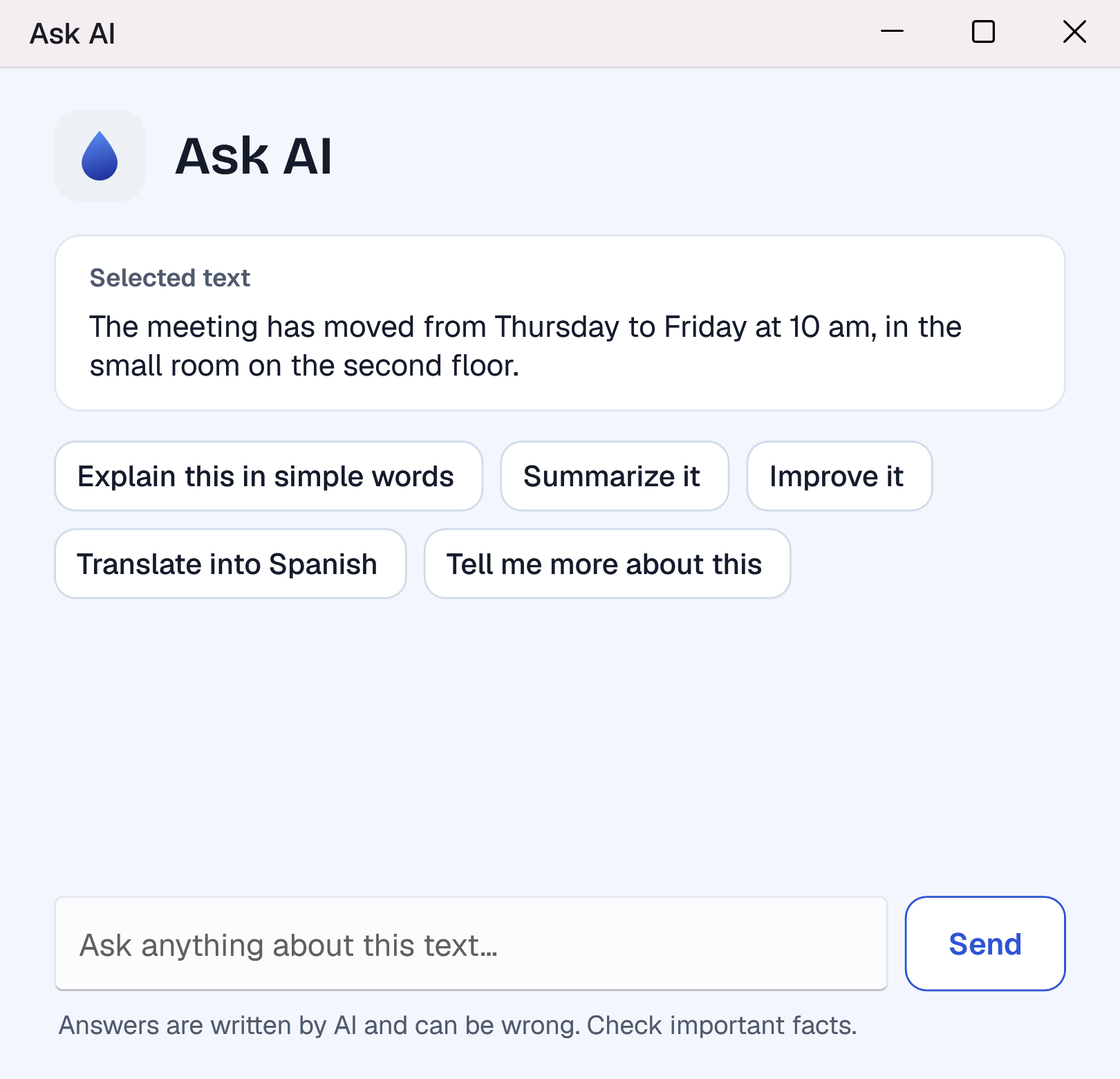
Ask AI
Ask about the text you selected, or anything else. Answers come in clear paragraphs, and your chats are kept encrypted on your PC.
 Keyverb
Works in the apps you already use. See the apps
Download for WindowsKeyverb is an AI teammate
that fixes grammar, rewrites and translates,
suggests your next words and types what you say,
right where you write, in every app
Write faster. Sound clearer. Keep your words private. Press Alt+Z on any text to fix, rewrite or translate it, see every change before it goes in. Your text is never used to train AI.
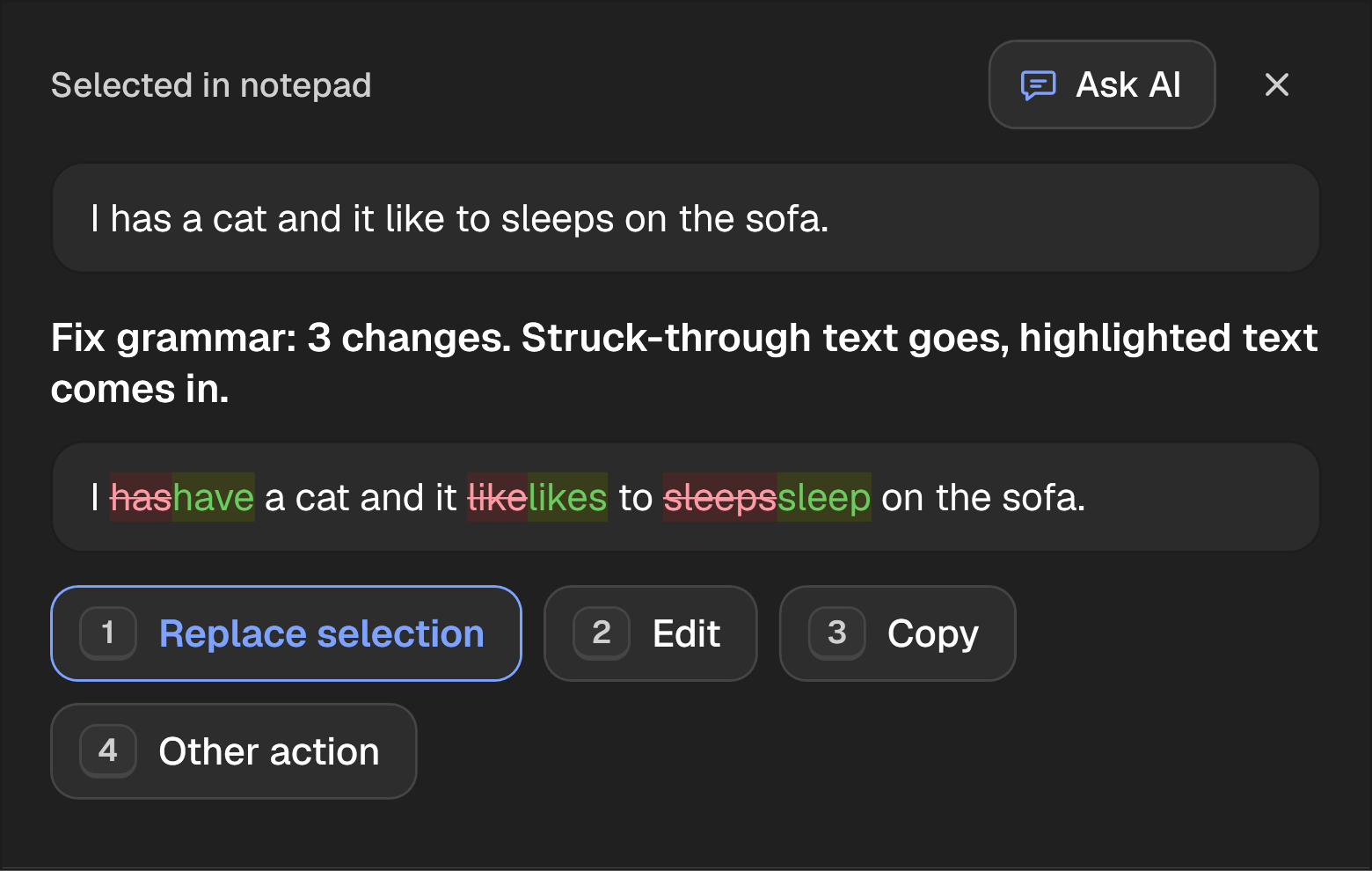
Select text in any app and press Alt+Z. Fix the grammar, make it professional, shorter or clearer, change its tone, translate it, or give your own instruction. You see every change before it replaces your text.
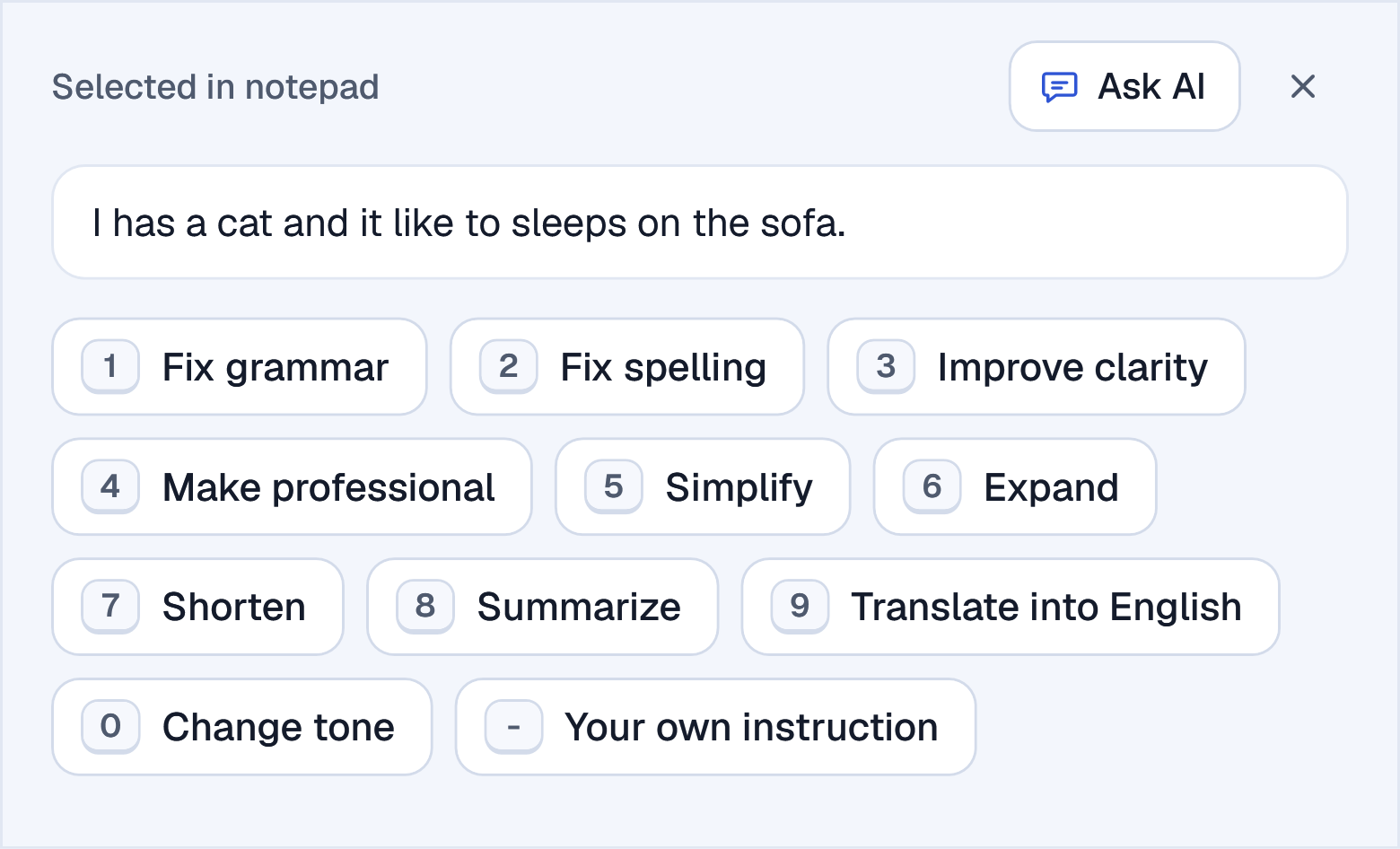
Select text with the mouse, and a small bar offers Ask AI, Fix grammar and Translate. If you prefer a quieter screen, keep only Ask AI or turn the bar off.
Hi team, the launch are moved to friday because the testing take more time then we planned. Thanks for your patience.

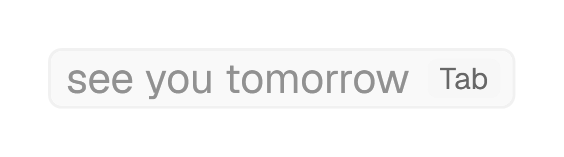
Keyverb suggests how your sentence goes on. Press Tab to take it, or use the arrow keys for other words. It also fixes spelling once a sentence is finished. Both are in English and start when you turn them on.
Thanks for sending the report. I will read it tonight and
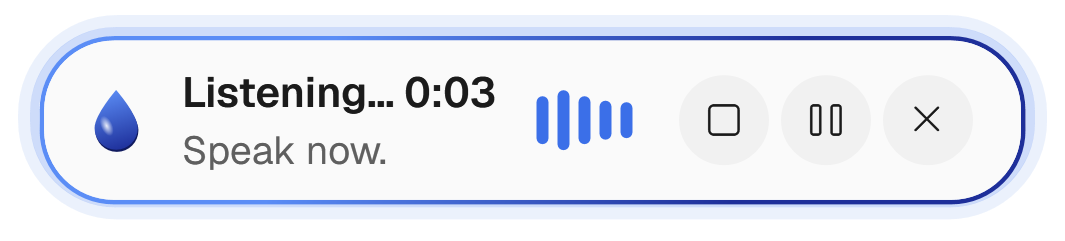
Press Alt+A and talk. Keyverb leaves out the ums, adds the punctuation and types into the app you are in. Say "translate this into Spanish" at the end and it does. Voice typing works in 39 languages.
Ask about the text you selected, or anything else. Answers come in clear paragraphs, and your chats are kept encrypted on your PC.
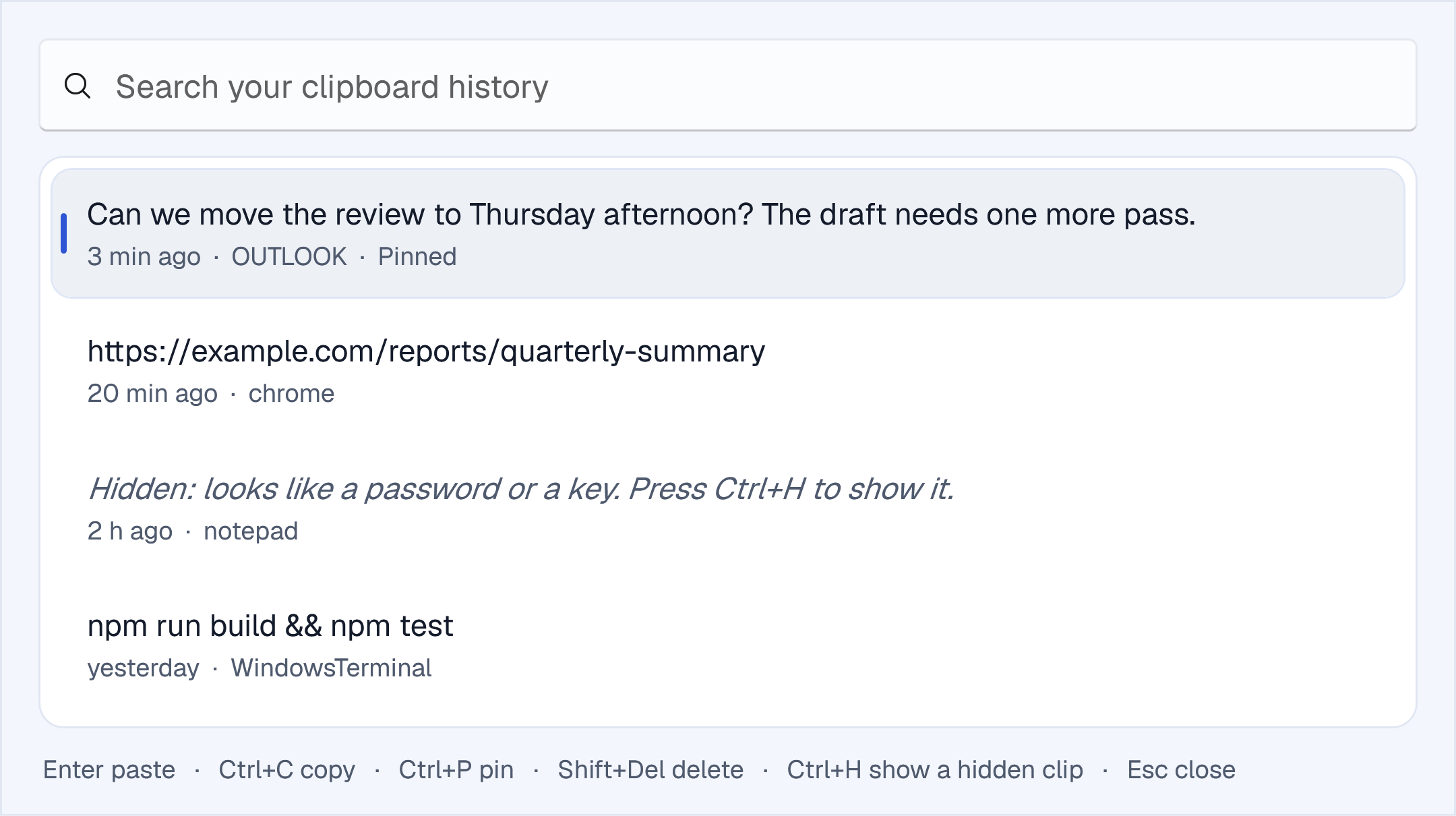
Everything you copy, searchable and encrypted on your PC. Copies from password managers are never saved, and passwords it finds are hidden.
Describe yourself and how you write, once. Keyverb follows your tone and fills in details, like your e-mail address, when you ask.
An e-mail, a chat, a document: wherever you write.
Or click Fix grammar on the bar next to your selection.
Struck-through words go, highlighted words come in. Nothing changes until you choose Replace.
Start free. Upgrade when Keyverb becomes part of your day, and cancel at any time.
To try Keyverb
$0 forever
For everyday writing
$6 a month
For writing all day
$12 a month
For heavy use
$24 a month
Every plan works on up to 5 PCs, and your text is never used to train AI. An AI action is one use of Alt+Z, the AI bar or Ask AI. Prices are in US dollars, billed monthly; the taxes of your country are added at checkout. Refunds and cancellation
Most apps where you type on Windows: browsers, e-mail, documents, chat apps and code editors. A few apps hide their text from Windows; there, Alt+Z and voice typing still work, but word suggestions may not.
Your text is never used to train AI, and our server keeps no copy of it. It is sent only when you use a feature, and we use zero data retention wherever the AI services offer it. The exceptions, a backup service while our main one cannot answer and web search in Ask AI, are on the privacy page.
One use of Alt+Z, the AI bar or Ask AI: fixing a text, rewriting it, translating it or asking a question. Word suggestions and voice have their own limits.
Keyverb tells you when it renews. Limits renew every 5 hours, every week and every month, so one busy morning does not use up your month.
Translation and voice typing work in 39 languages. Word suggestions and spelling correction are in English.
Up to 5 at once with one account; they share your plan's limits. If you lose a PC, sign it out on this website.
Yes, at any time. Your plan stays until the end of the month you paid for and then does not renew. See refunds and cancellation.
Windows 10 (version 1809 or newer) or Windows 11, on a 64-bit PC.
No. Keyverb never records the keys you press. It reads text only for a feature you use: the text you select, and, if you turn on word suggestions or spelling correction, the text around your cursor. Our server keeps none of it.
No. Keyverb installs for your own Windows account, and it updates itself the same way.
Your clipboard history does. Everything that uses the AI (Alt+Z, the AI bar, Ask AI, suggestions, spelling and voice) needs a connection.
Not yet. Keyverb is for Windows; a Mac version is planned.
In the help center: a guide for every feature, the keyboard shortcuts and troubleshooting.
Free plan included. Windows 10 and 11. How to install